
SafetyCam app icon
SafetyCam
  • Android
  • Photography

SafetyCam: Record in the background. Keep it private.

A background recorder for Android. Capture video, audio or photo bursts, even with the screen off, and keep every recording in an encrypted vault on your device.

  • Screen-off recording*
  • Encrypted on-device vault
  • Never uploaded automatically

*On compatible Android devices. Background and screen-off performance depends on your hardware, battery optimizations and Android restrictions.

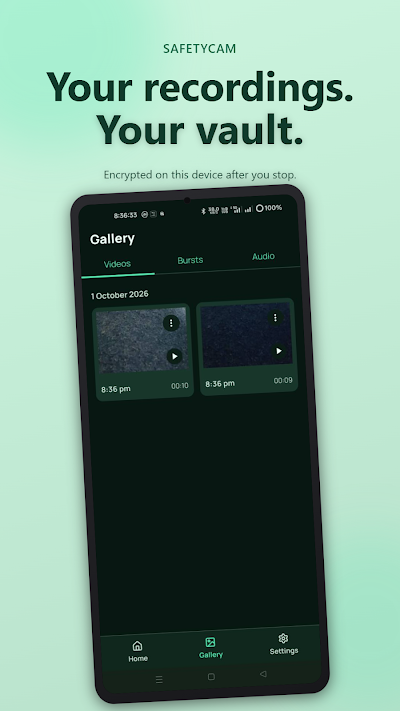
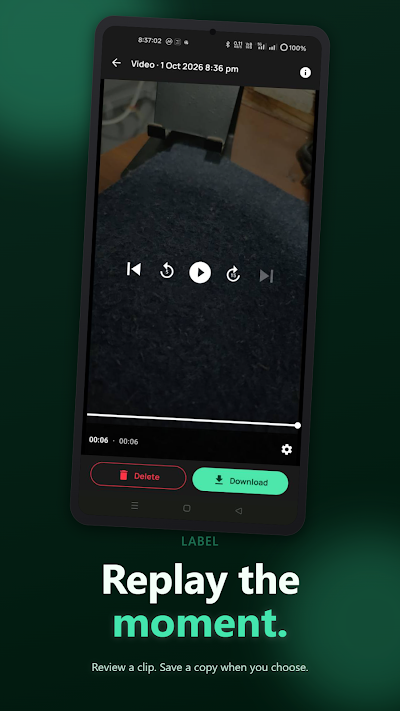
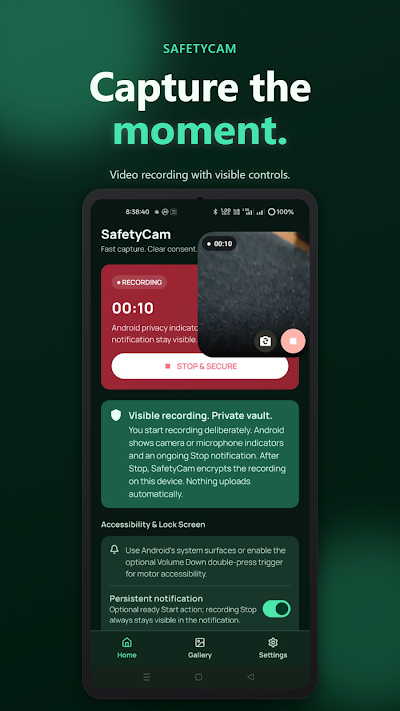
SafetyCam screenshot: Gallery with a tab for each of videos, bursts and audio SafetyCam screenshot: Replaying a saved video with Delete and Download actions SafetyCam screenshot: Video recording with a floating preview and visible controls

See it in action

What SafetyCam does for you

SafetyCam screenshot: Video recording with a floating preview and visible controls

Record

Capture the moment, without the recorder on screen.

After a deliberate start, recording can continue while you use other apps or turn off the screen on compatible devices. Choose the front or rear camera, with supported resolutions up to Full HD and 4K.

  • Start in one tap from the home screen, a widget or a launcher shortcut
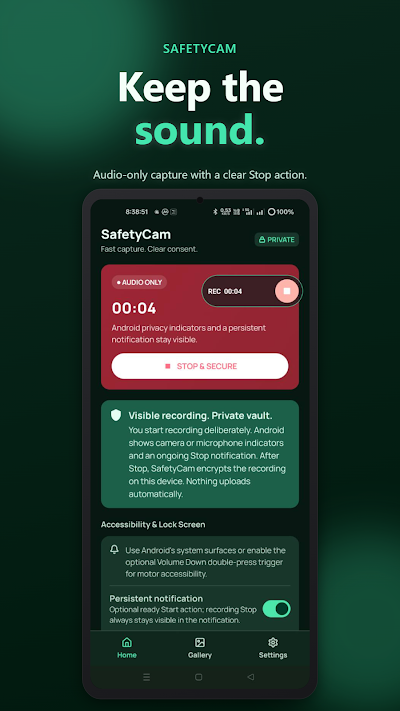
  • An ongoing notification always shows status and a Stop action
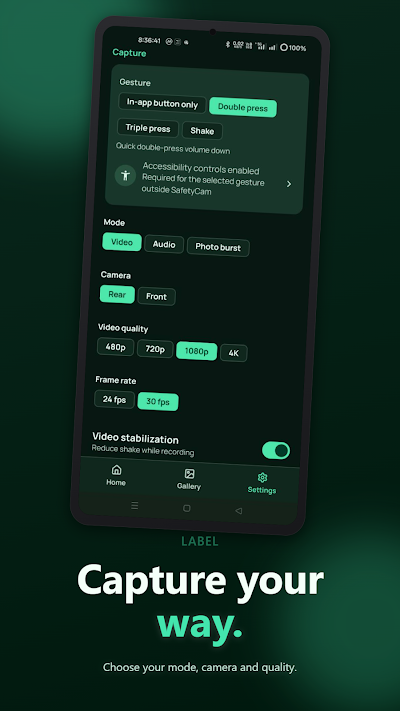
SafetyCam screenshot: Capture settings for mode, camera, video quality and frame rate

Customize

Capture your way.

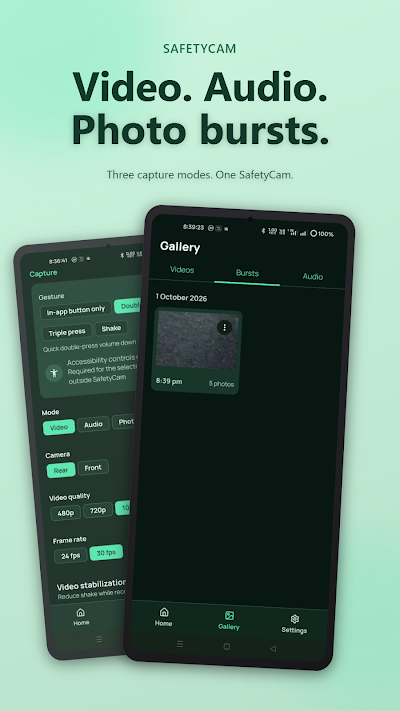
Pick Video Recorder, Voice Recorder or Photo Burst, then tune the camera, video quality, frame rate and stabilization where your device supports them.

  • Split long recordings into chunks and set a maximum duration
  • Preview the frame before or during capture
SafetyCam screenshot: Gallery with a tab for each of videos, bursts and audio

Protect

Your recordings. Your vault.

Every recording is encrypted on your device with Android Keystore-backed AES-GCM and kept out of public photo galleries. You can start and stop recording without unlocking the vault.

  • Optional six-digit passcode and fingerprint or face unlock for the gallery
  • Optional SHA-256 fingerprints for integrity checks
SafetyCam screenshot: Replaying a saved video with Delete and Download actions

Review

Replay the moment. Save a copy when you choose.

Watch recordings in the built-in player and check their details. Download decrypts a copy to your media library and leaves the encrypted original in the vault.

  • Store in internal app storage, app-specific SD card storage or a folder you pick
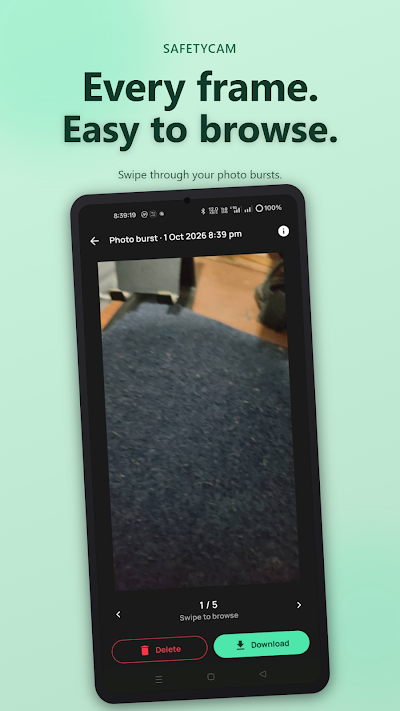
  • Browse photo bursts frame by frame

Who it's for

Built for the moments you want on record

Personal safety

Start a recording deliberately when you want a record of what is happening.

Incident documentation

Capture video, audio or photo bursts and keep them encrypted on your device.

Lectures

Switch to Voice Recorder when you only need audio and not the camera.

Work records

Split long sessions into manageable chunks and set a maximum duration.

Everything included

Features at a glance

Background and screen-off recording

  • Recording continues while you use other apps
  • Lock screen and screen-off recording on compatible Android devices
  • Front or rear camera, with supported resolutions up to Full HD and 4K
  • Video quality, frame rate, zoom and stabilization where supported
  • Real-time preview to check framing before or during capture

One-tap start and quick access

  • Start recording from the home screen in one tap
  • Home-screen widget and launcher shortcuts
  • Ongoing notification with status and a Stop action

Private encrypted vault and gallery lock

  • Each recording is encrypted on your device with Android Keystore-backed AES-GCM
  • Optional six-digit passcode and biometric unlock for the gallery
  • Start and stop recording without unlocking the vault
  • Optional SHA-256 recording fingerprints for integrity checks

Video, voice and photo burst modes

  • Video Recorder: video with optional microphone audio
  • Voice Recorder: audio only, when you don't need the camera
  • Photo Burst: a continuous series of still images

Long recordings, split into chunks

  • Long videos are divided into manageable segments
  • Completed chunks can be saved before later segments finish
  • Set a maximum recording duration

Flexible storage and export

  • Store in internal app storage, app-specific SD card storage, or a folder you choose
  • Recordings stay encrypted and out of public photo galleries
  • Download decrypts a copy to your media library and keeps the vault original intact

Optional location context

  • Off by default
  • Attaches a last-known approximate or precise location to a recording only when you permit it
  • Location applies to that one recording, with no continuous or background tracking

Good to know

Optional accessibility trigger

SafetyCam can use Android's AccessibilityService API for optional Start/Stop through the Accessibility button, a Volume Down double or triple press, or a shake outside the app. It is enabled only after a separate in-app disclosure and your consent, and in-app Start/Stop needs no Accessibility access.

It briefly processes Volume Down timing or motion on your device, never stores or shares that input, and cannot read screen content or perform gestures. You can turn it off in Android Accessibility settings at any time.

Important usage notice

Background recording and screen-off performance depend on device hardware, battery optimizations and Android restrictions, so test your preferred shortcuts and settings on your phone. SafetyCam keeps Android's camera and microphone privacy indicators visible and does not offer covert recording. Always follow applicable laws and respect privacy rights.

Screenshots

  • SafetyCam screenshot: Audio-only capture with a clear Stop action and a persistent notification
  • SafetyCam screenshot: Video recording with a floating preview and visible controls
  • SafetyCam screenshot: Capture settings for mode, camera, video quality and frame rate
  • SafetyCam screenshot: Gallery with a tab for each of videos, bursts and audio
  • SafetyCam screenshot: Replaying a saved video with Delete and Download actions
  • SafetyCam screenshot: Browsing a photo burst one frame at a time
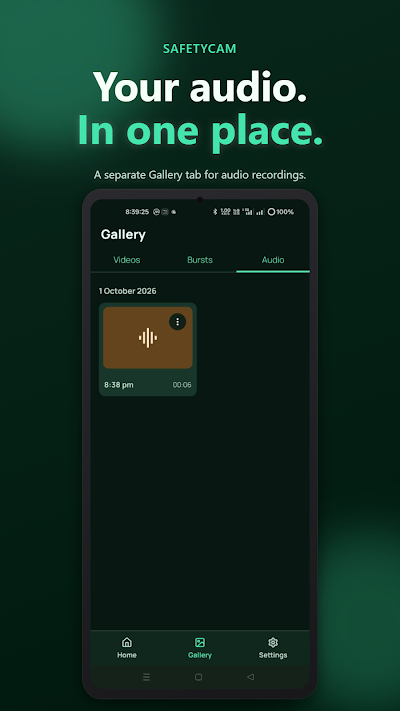
  • SafetyCam screenshot: Gallery tab for audio recordings
  • SafetyCam screenshot: Three capture modes: video, audio and photo bursts

Questions

Frequently asked questions

Can SafetyCam record with the screen off?

Yes, after an intentional start, on compatible Android devices. Background and screen-off performance depends on your device hardware, battery optimizations and Android restrictions, so it is worth testing your preferred shortcuts and settings on your phone.

Are my recordings uploaded anywhere?

No. Recordings are never uploaded automatically. They are encrypted on your device, and you choose whether to download a copy to your media library.

Is the recording hidden?

No. SafetyCam keeps Android's camera and microphone privacy indicators visible, shows an ongoing notification with a Stop action, and does not offer covert recording. Always follow applicable laws and respect privacy rights.

Does SafetyCam need Accessibility access?

Only for the optional triggers: the Accessibility button, a Volume Down double or triple press, or a shake outside the app. It is enabled only after a separate in-app disclosure and your consent. In-app Start and Stop need no Accessibility access, and you can turn it off in Android settings at any time.

SafetyCam app icon

Get SafetyCam on Android

Background video and audio recorder with an encrypted on-device vault.

Download on Google Play

App details

Platform
Android
Category
Photography
Developer
Orixa Studio
Privacy
Privacy Policy
Support
hello@orixastudio.com

More from Orixa Studio

Chargify app icon

Chargify

Android · Tools

Tells you when your phone has finished charging with a full-screen alert and alarm, so you can unplug on time. It keeps watching in the background.